HTB Abducted Writeup
Alright... I'm doing a quick walkthrough of Abducted, because the official writeup is... let's say, a bit squirrely. I'll keep this [very] brief.

Alright... I'm doing a quick walkthrough of Abducted, because the official writeup is... let's say, a bit squirrely. I'll keep this [very] brief.

- Initial Recon
The usual stuff... nmap TCP ports, find SMB open, with some interesting shares.
| Sharename | Type | Comment | Access |
|---|---|---|---|
| HP-Reception | Printer | Reception printer | Guest write |
| projects | Disk | Hartley Group Project Files | Auth required |
| transfer | Disk | Staff file transfer | Auth required |
| IPC$ | IPC | IPC Service | Anonymous |
Now, when I do HTB, I like to approach it like I do actual network pentesting, but just without the worries of breaking shit– find services, fingerprint them, if known vulnerable then exploit... The problem with that approach here is that the vulnerable service for initial access is not able to be exactly identified. Maybe I'm just bad (probably, actually), but I couldn't find anyway at all to get a version number or exact release date to conclusively indicate that this is vulnerable. I don't like that much... from a pentesting standpoint, you shouldn't be flinging random CVEs if you don't at least have some indication that the service is vulnerable. So instead, I'll give you a generic HTB tip... when nothing is obviously vulnerable, assume that whatever CVEs that dropped around the time the box was released are relevant.

- Le Shell
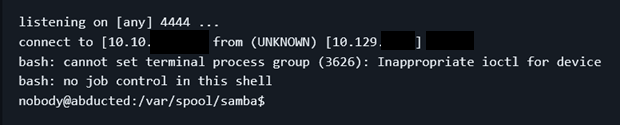
In this case, it works... we find an SMB share called "HP-Reception", clearly printer-related, and this box was released in June 2026. Welp, in May 2026 CVE-2026-4480 was dropped. SMB unauth RCE via something-printer-related (idfc). The official writeup goes through the process of crafting a custom exploit from scratch for this vuln... bro, what? No. We download TheCyberGeek/CVE-2026-4480-PoC, we run it, we get a shell.
- PrivEsc 1
Time for another generic HTB tip– always check /opt/. It's the correct place to store optional / third-party shit anyway. But I've seen on a dozen boxes recently where privesc was related to things in /opt/. And your precious linpeas might not make it obvious that this is where you should be looking. Alright enough said.
Go to /opt/, find /opt/offsite-backup, find a config file with hardcoded creds, google wtf rclone is and how this pw is stored, and find out you can just decode it with the rclone binary. Do it, try the password for the users in /etc/password with a shell, and login. \o/
- PrivEsc 2
Now we're in as a "real user" (scott). Check those other SMB shares we found, that we couldn't access before. Nothing interesting... but check out the smb share config file: force user = marcus . Well that's cool. You might immediately be able to see the implications... we can read/write as marcus. Drop a symlink to his .ssh folder, generate an ssh key, write the pubkey to authorized_keys, and we are now marcus.
- PrivEsc Moar?
Here, your linpeas would actually help you... if you got through all the false-positives, you might notice that marcus is a member of the group operators and this group has write-access to the SMB systemd service override, as well as the ability to restart services. Nice... drop in a config file, restart the service, and if you didn't fuck it up then you are now root
- Summary / Takeaways
For the first time in forever, this box's initial access vector is NOT a web app... nice, except it's an SMB version that you can't easily confirm is vulnerable. Google for a recent CVE, blindly fire it off and get a shell. Privesc through something in /opt/ (as is common), privesc through a symlink, privesc through systemd service override.
gl hf